
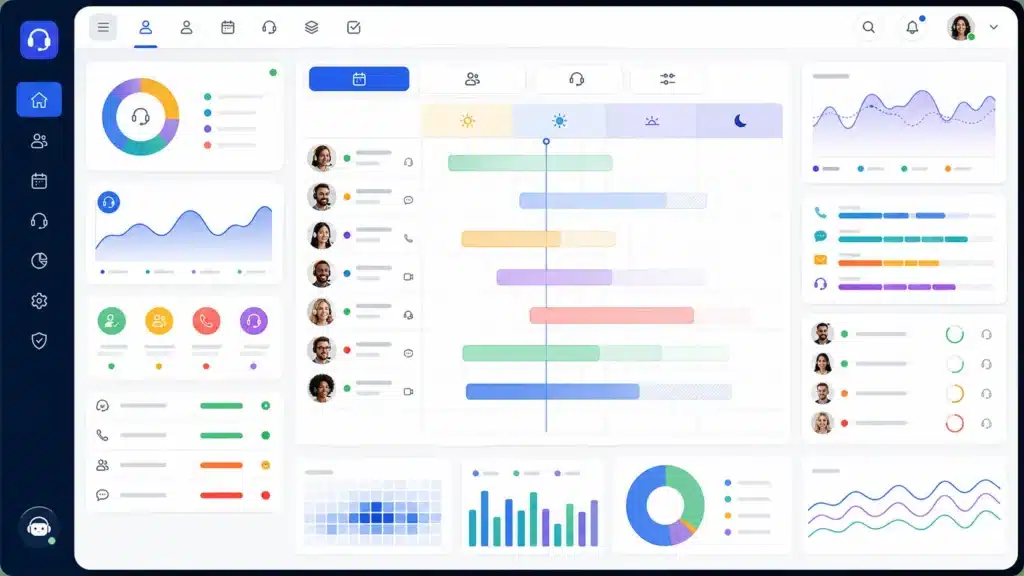
The right SMB call center scheduling software helps bring structure to the process, giving managers the tools they need to align staffing with customer demand while reducing administrative work.
With so many options on the market, choosing a solution can feel overwhelming. Features, pricing models, integrations, and scalability all play a role in determining which platform is the best fit for your business. This guide breaks down the key factors SMBs should consider when evaluating call center scheduling software, so you can make a confident decision that supports both your team and your long-term growth goals.
Key Takeaways
- Call center scheduling software helps SMBs align staffing levels with customer demand, improving service quality while controlling labor costs.
- The best solution should be easy to use, allowing managers and agents to create, adjust, and view schedules without unnecessary complexity.
- Workforce forecasting capabilities can help businesses anticipate call volume trends and make more informed staffing decisions.
- Self-service scheduling features, such as shift swaps and time-off requests, can reduce administrative work and improve agent satisfaction.
- Five of the leading call center scheduling software solutions are Xima, NICE CXone, Talkdesk, Calabrio ONE, and Assembled.
- Evaluating your organization’s specific scheduling challenges and goals can help you identify the features that matter most before making a decision.
Why Scheduling Can Be Challenging in a Call Center
Managing agent schedules can quickly become a challenge for growing businesses. Customer demand changes throughout the day, agents request time off, and unexpected absences can leave teams scrambling to maintain service levels. These disruptions can have an immediate impact on both customer satisfaction and operational costs.
As customer expectations continue to rise, scheduling software gives SMB call centers the ability to balance service quality, workforce productivity, and labor costs without adding unnecessary administrative burden.
What Call Center Scheduling Software Does
Call center scheduling software helps organizations plan, manage, and optimize agent schedules to ensure the right number of employees are available at the right times. Instead of relying on spreadsheets, manual scheduling, or guesswork, businesses can use scheduling software to create more accurate staffing plans based on expected customer demand.
Most platforms automate many of the time-consuming tasks associated with workforce scheduling. Managers can build schedules, account for employee availability, process time-off requests, and make adjustments when staffing needs change. Many solutions also provide forecasting tools that analyze historical call volume trends to predict future staffing requirements.
Modern call center scheduling software also often includes self-service features that make life easier for agents as well. Employees may be able to view schedules, request shift changes, swap shifts with coworkers, and receive schedule updates through desktop or mobile applications.
Key Features To Look for in Call Center Scheduling Software
Not all contact center scheduling tools offer the same capabilities. Some focus on basic schedule creation, while others provide deeper workforce planning and performance management functionality. As you evaluate different options, pay close attention to the features that can support your current operations and future growth.
Schedule Creation and Shift Management
The biggest challenge a scheduling platform should address is creating employee schedules. Managers should be able to create schedules quickly, make updates when staffing needs change, and manage recurring shifts without excessive manual effort.
Look for software that allows schedules to be adjusted with minimal disruption. Unexpected call volume spikes, employee absences, and schedule change requests are common in contact centers. A flexible scheduling platform can help managers respond to these situations faster while maintaining adequate coverage across teams and channels.
Forecasting Support
Accurate schedules start with accurate staffing expectations. Forecasting capabilities help managers understand anticipated contact volume and align staffing levels accordingly.
Many scheduling platforms analyze historical interaction data to identify patterns and trends. These insights can help managers anticipate busy periods, seasonal fluctuations, and recurring demand cycles. This helps improve resource allocation without requiring large workforce management teams.
Real-Time Visibility
Contact center conditions can change throughout the day, making real-time visibility a valuable scheduling feature. Managers need a clear view of schedule coverage, staffing gaps, and workforce availability as events unfold.
Real-time dashboards can help supervisors quickly identify potential issues before service levels are affected. If call volume increases unexpectedly or staffing falls below planned levels, managers can make informed adjustments to maintain coverage.
Greater visibility also supports faster decision-making. Instead of waiting for end-of-day reports, teams can respond proactively to changing conditions and keep operations running smoothly.
Reporting and Schedule Performance Insights
Managers also need to understand how effectively the schedules they create support business goals. Reporting and analytics features can reveal patterns related to staffing efficiency, schedule effectiveness, service levels, and workforce utilization. These insights help managers identify opportunities to improve scheduling decisions over time and better align staffing with customer demand.
When comparing platforms, look for reporting capabilities that provide actionable workforce data built around call center-specific key metrics rather than basic schedule records.
Adherence and Staffing Oversight
Adherence monitoring helps supervisors understand whether agents are working according to planned schedules. Staffing oversight tools provide a broader view of workforce activity and resource allocation. Together, these capabilities help contact centers maintain service levels and identify issues before they affect customers.
What Call Center Scheduling Software Helps Teams Improve
The right call center scheduling software helps teams improve staffing consistency, ensuring coverage is aligned with customer demand throughout the day. It can also reduce costly overstaffing and understaffing issues by giving managers better visibility into workforce needs and schedule coverage.
Additionally, scheduling software simplifies day-to-day workforce management. Managers can make schedule adjustments more efficiently, respond faster to staffing changes, and spend less time on manual administrative tasks. With better visibility and greater flexibility, call centers can maintain the staffing levels needed to support customer service goals.
Signs a Call Center Has Outgrown Manual Scheduling
Manual scheduling can work for small teams, but as call centers grow, spreadsheets and disconnected processes often become harder to manage. If any of the following sounds like your situation, it may be time to consider switching to software.
- Managers spend significant time creating schedules or making manual shift adjustments each week.
- Schedules are managed primarily through spreadsheets, email threads, or shared documents.
- Responding to absences, time-off requests, or unexpected coverage gaps requires extensive manual coordination.
- Staffing levels frequently miss customer demand, leading to periods of overstaffing or understaffing.
- Supervisors lack real-time visibility into schedule coverage and workforce availability.
- It is difficult to determine whether schedules are supporting service level goals and operational performance.
- Schedule changes are not communicated consistently, creating confusion for agents and managers.
- Workforce planning becomes more challenging as the contact center grows or adds new communication channels.
How Scheduling Software Fits Into Workforce Management
Call center scheduling software plays an important role in workforce management, but it is only one piece of the larger workforce planning process. Scheduling focuses on creating and managing agent schedules, helping contact centers align staffing levels with anticipated customer demand and maintain adequate coverage throughout the day.
Workforce management typically extends beyond scheduling to include capabilities such as forecasting, adherence monitoring, reporting, and workforce performance visibility. Together, these tools help managers make informed staffing decisions, track schedule effectiveness, and maintain operational efficiency. For many SMB call centers, scheduling software is a foundation that supports broader workforce management efforts.
How To Choose the Best Call Center Scheduling Software
The best call center scheduling software is not necessarily the one with the longest feature list, but the solution that helps your team manage schedules efficiently, adapt to changing staffing needs, and gain the visibility required to make better workforce decisions. As you compare options, focus on:
- Ease of schedule creation and editing: Managers should be able to build schedules quickly and make adjustments without navigating complex workflows.
- Flexible shift management: Look for tools that can accommodate recurring schedules, shift changes, time-off requests, and unexpected staffing adjustments.
- Visibility into staffing gaps: Real-time insights can help supervisors identify coverage issues before they impact service levels.
- Forecasting support: Solutions that incorporate historical trends and expected demand can help teams create more accurate schedules.
- Reporting and analytics: Workforce data should help managers understand schedule effectiveness and make informed staffing decisions.
- Adherence and staffing oversight: Visibility into schedule adherence can help ensure staffing plans are being executed as intended.
- Employee self-service features: Shift swaps, schedule viewing, and request management can reduce administrative work and improve the agent experience.
- Scalability: The platform should be able to support your team as staffing requirements grow and operational complexity increases.
- Workforce management alignment: Scheduling software should fit naturally within broader workforce management processes, supporting forecasting, reporting, and workforce visibility initiatives.
- Ease of implementation and adoption: A user-friendly platform can help teams realize value faster and encourage consistent usage across managers and agents.
Best Call Center Scheduling Software for SMBs
Feeling overwhelmed by options? Check out these top five call center scheduling platforms to find out which may be the best fit for your operations.
1. Xima
Xima provides workforce management functionality alongside real-time contact center visibility and reporting tools. This can help managers make scheduling decisions based on actual workforce performance rather than relying solely on static schedules. Xima’s focus on usability and operational visibility makes it well-suited for SMB call centers that need workforce insights without the complexity often associated with large enterprise platforms.
Best fit: SMB contact centers that want scheduling capabilities combined with workforce visibility, reporting, and unified communications.
Notable scheduling capabilities: Schedule management, workforce visibility, reporting, and operational monitoring.
Potential limitations: Organizations looking for highly specialized enterprise workforce optimization suites may require more advanced forecasting or workforce planning functionality.
2. NICE CXone
NICE CXone offers forecasting, automated scheduling, and real-time adherence capabilities as part of its workforce management suite. It is widely recognized as a leader in workforce optimization. It can be a strong option for SMBs planning significant growth or seeking a unified contact center and workforce management solution.
Best fit: Growing call centers that want advanced workforce management within a broader cloud contact center platform.
Notable scheduling capabilities: AI-powered forecasting, schedule generation, intraday management, and adherence monitoring.
Potential limitations: The breadth of functionality can create a steeper learning curve and may be more than some smaller teams require.
3. Talkdesk
Talkdesk combines workforce management capabilities with broader contact center functionality, helping teams manage schedules and staffing from a centralized platform. It’s often considered by SMBs already operating in cloud contact center environments and looking for integrated workforce management tools.
Best fit: Cloud-first contact centers focused on improving workforce efficiency and agent experience.
Notable scheduling capabilities: Forecasting, employee scheduling, workforce analytics, and intraday staffing adjustments.
Potential limitations: Some organizations may find the platform’s broader contact center functionality exceeds their scheduling requirements.
4. Calabrio ONE
Calabrio ONE is known for its workforce management and performance optimization capabilities, helping managers align staffing decisions with operational goals. It may be a good option for growing SMB call centers that want to improve workforce planning while gaining deeper performance visibility.
Best fit: Call centers that want scheduling, forecasting, and workforce optimization within a single platform.
Notable scheduling capabilities: Workforce forecasting, schedule management, adherence tracking, and performance reporting.
Potential limitations: Some SMBs may find certain workforce optimization features more advanced than their immediate needs.
5. Assembled
Assembled emphasizes workforce planning, forecasting, and scheduling with a user-friendly interface designed to simplify workforce operations. Some SMBs evaluate this platform for its dedicated scheduling and workforce management functionality without the complexity of larger enterprise suites.
Best fit: SMB and mid-market support teams looking for modern workforce management and scheduling tools.
Notable scheduling capabilities: Schedule creation, staffing forecasts, scenario planning, time-off management, and workforce reporting.
Potential limitations: Organizations seeking a fully integrated contact center platform may need additional technology alongside Assembled.
How Xima Supports Smarter Call Center Scheduling
If you’re looking for a solution that combines scheduling support with real-time visibility, workforce insights, unified communications, and reporting capabilities, Xima can help. Xima gives call center managers the tools they need to make informed staffing decisions, monitor workforce activity, and optimize operations without unnecessary complexity.
Ready to see how Xima can support your SMB call center? Schedule a demo to learn how Xima helps teams improve scheduling management.
Frequently Asked Questions About Call Center Scheduling Software
Call center scheduling software helps contact centers create, manage, and optimize employee schedules. These platforms make it easier to align staffing levels with customer demand, manage schedule changes, and maintain adequate coverage throughout the day. Many solutions also include forecasting, reporting, and workforce visibility features that support more informed staffing decisions.
Call center scheduling software centralizes the scheduling process, allowing managers to create schedules, adjust shifts, approve time-off requests, and monitor staffing coverage from a single platform. Many solutions use historical contact volume data and forecasting tools to help managers schedule the appropriate number of agents for anticipated demand. Some platforms also provide real-time visibility into staffing conditions and schedule adherence.
The most effective call center scheduling software typically includes schedule creation and editing tools, forecasting support, real-time staffing visibility, reporting capabilities, and adherence monitoring. Many organizations also look for employee self-service features such as shift swaps, schedule viewing, and time-off requests. The ideal feature set depends on the size of the contact center and its workforce management requirements.
Scheduling software is an important component of workforce management, but it is only one part of the broader process. Workforce management often includes forecasting, scheduling, adherence tracking, reporting, and workforce performance visibility. Scheduling software helps create and manage staffing plans, while workforce management solutions provide additional tools for monitoring and optimizing workforce performance.
A call center may benefit from scheduling software when manual processes become difficult to manage. Common signs include relying heavily on spreadsheets, spending excessive time adjusting schedules, struggling to respond to staffing changes, and lacking visibility into schedule effectiveness.


